
Transportation in China
Master China's metros, high-speed trains, taxis, and ride-hailing apps so you can get around confidently—even without speaking Chinese.
Transportation in China – Complete 2026 Guide
China's transportation network is one of the most advanced in the world—with high-speed trains, dense metro systems, and reliable ride-hailing apps. With a bit of setup, international travelers can move around easily without needing to speak fluent Chinese.
Before you worry about transport:
- Set up mobile payments (WeChat Pay or Alipay).
- Make sure you have reliable internet—see the Internet guide.
- Install translation tools or phrasebooks for basic communication.
🚀 Quick Start Guide
If you only remember three things about getting around in China, make it these:
Essential Setup
Get mobile payments, internet access, and translation tools ready before your first ride.
DiDi for Taxis
Use DiDi for ride-hailing with an English interface and support for foreign cards.
Amap for Navigation
Rely on Amap (Gaode) for metro routes, buses, and walking directions when Google Maps doesn't work.
🚙 Transportation Apps Overview
DiDi
#1 Ride-Hailing
Most popular taxi and ride-hailing app in China. Ideal for airport transfers, city rides, and late-night trips.
- ✅ Supports international phone numbers
- ✅ English interface available
- ✅ Accepts foreign cards, Alipay, WeChat Pay
- ✅ Book taxis, express, and premium rides
- ✅ Mini-program available in WeChat / Alipay
Amap (Gaode)
#1 Navigation
Most reliable map and transit app for China. Essential replacement when Google Maps is unavailable.
- ✅ English interface supported
- ✅ Real-time metro & bus information
- ✅ Integrated ride-hailing (DiDi and others)
- ✅ Walking, driving, cycling, and transit routes
- ✅ Save favorites for hotels and key sights
🚕 DiDi Ride-Hailing – Quick Start
DiDi is China's leading ride-hailing platform. It supports international phone numbers, foreign credit cards, and an English interface—making it the best choice for most travelers.
Download the DiDi App
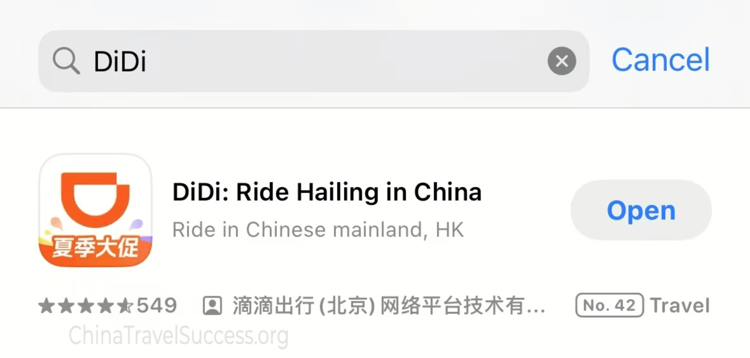
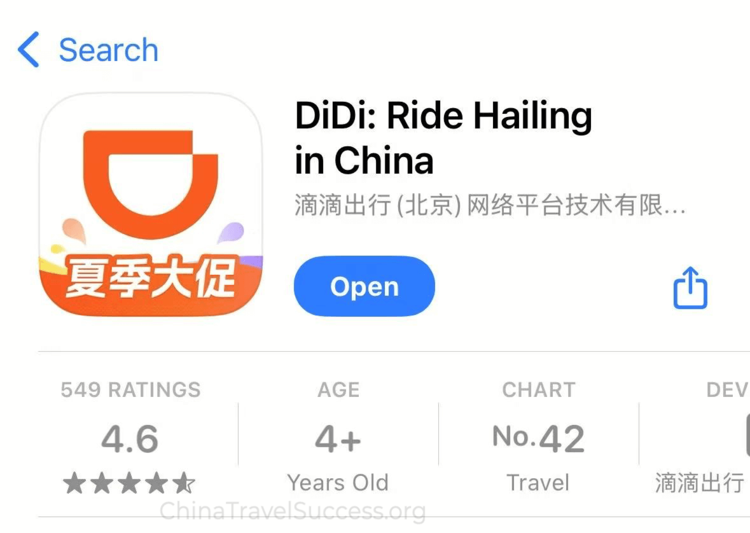
iOS / Android: Open your app store and search for "DiDi". Download the official DiDi app published by Beijing Xiaoju Technology Co., Ltd. for authenticity and security.
Quick Access: If you use WeChat or Alipay, search for "DiDi" or "滴滴出行" in the mini program section. This lets you use DiDi without installing a separate app— perfect for short-term travelers.

Official DiDi app & mini program
Create an Account
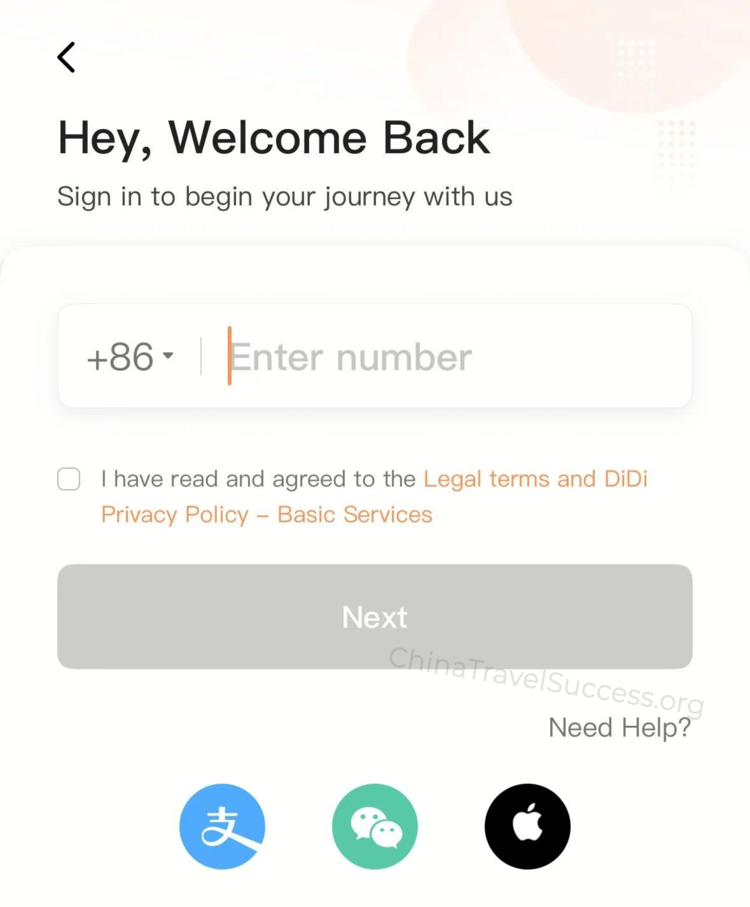
Register using your international phone number or email address. A Chinese SIM card is not required—DiDi supports most global numbers.
Follow the on-screen prompts to complete SMS or email verification. If you don't receive the code, double-check your country code and try again.
Set your preferred language (English / Chinese) in the app settings for a smoother experience.
Set Up Payment
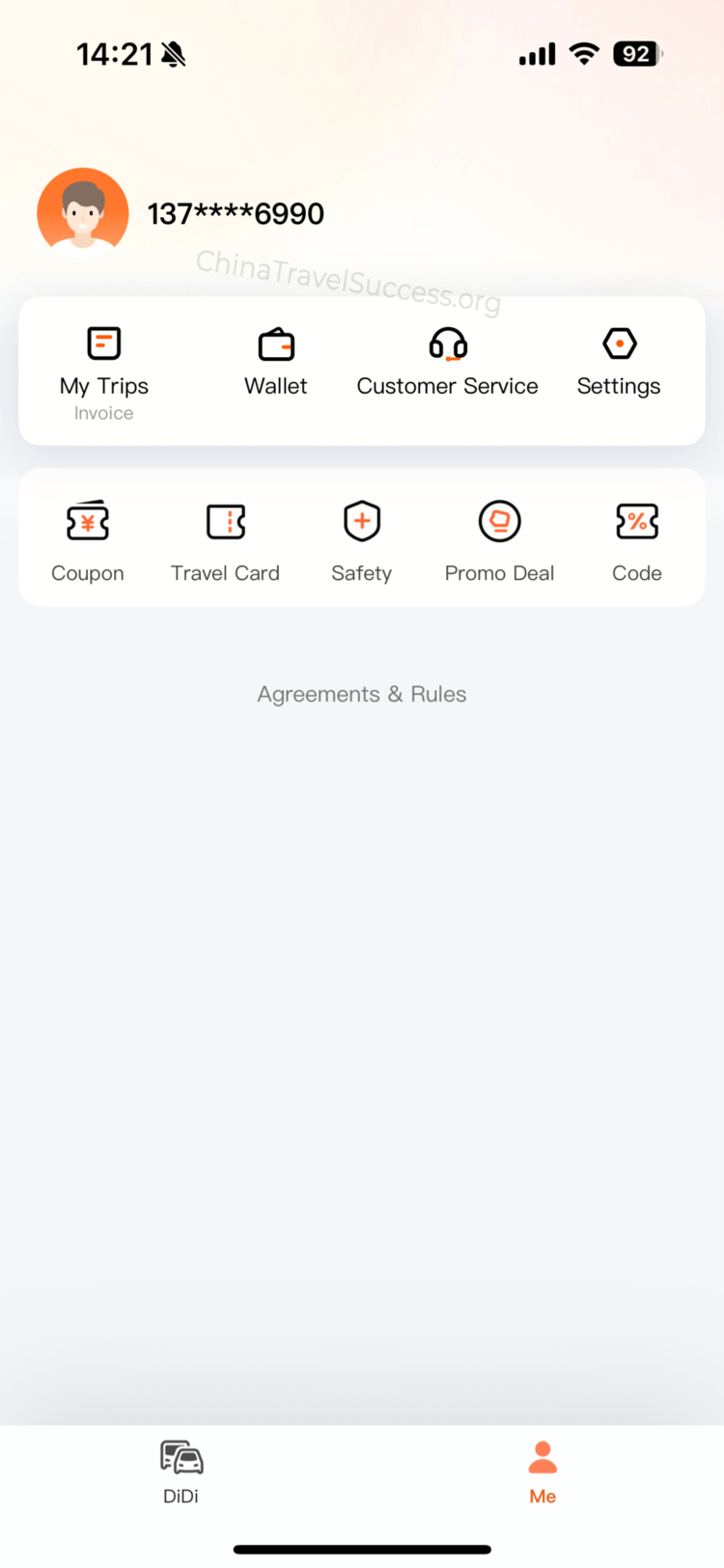
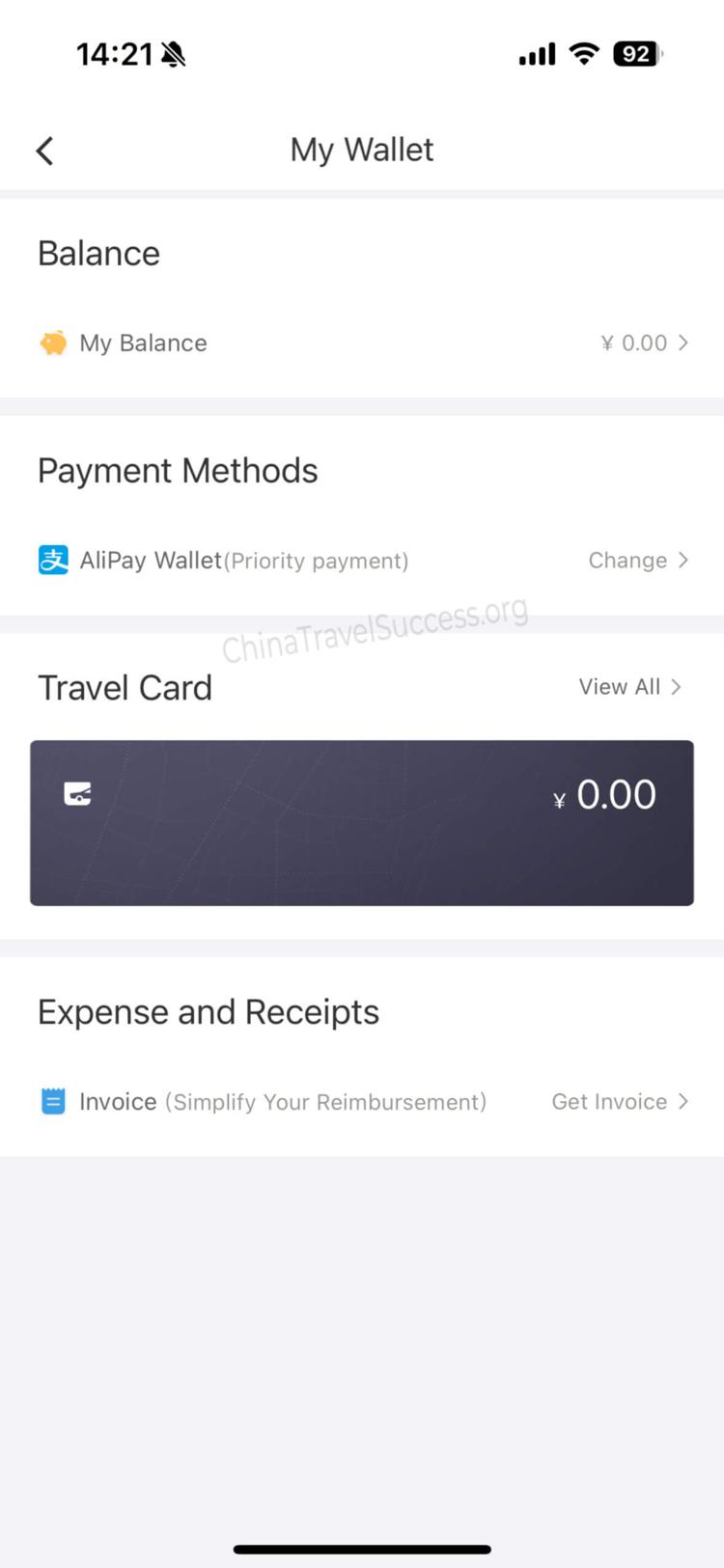
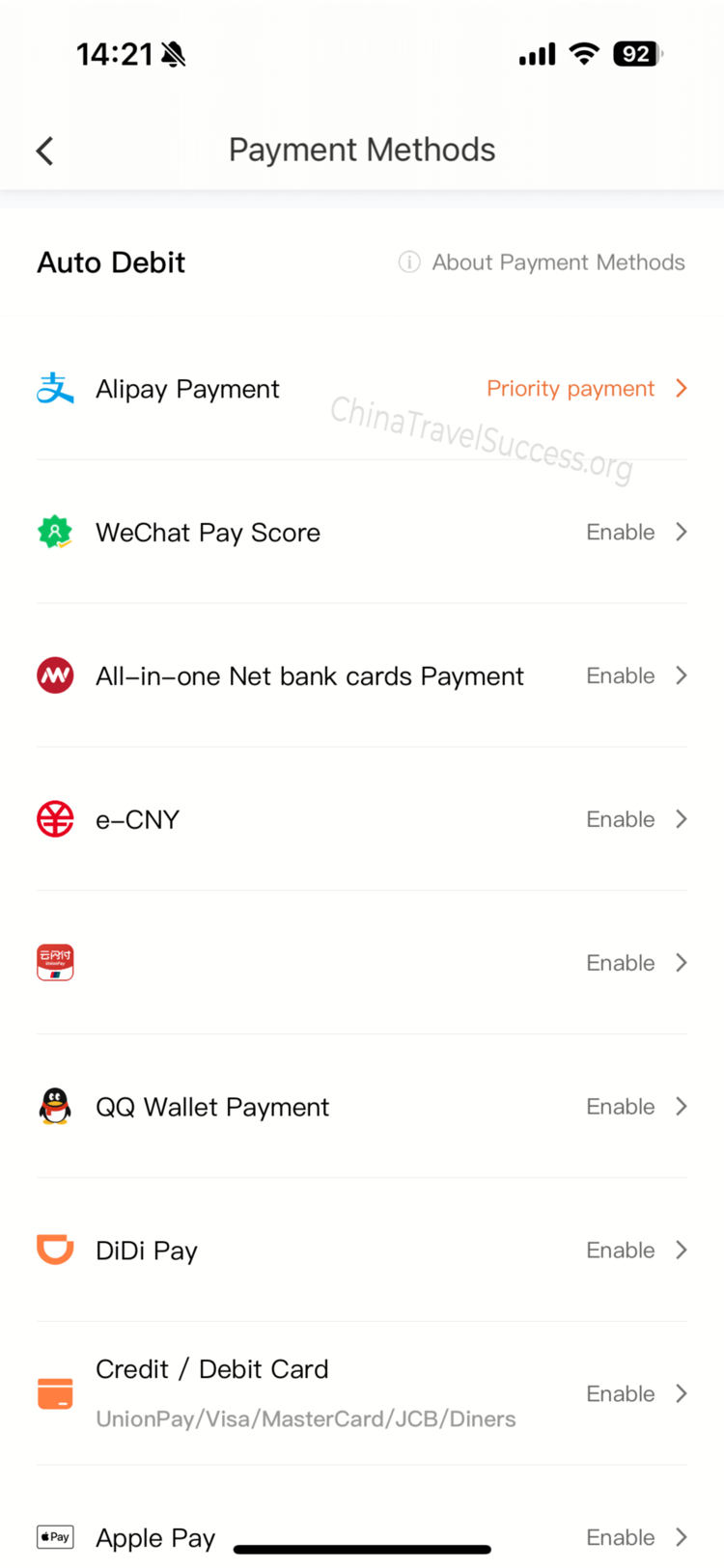
Go to "Me" → "Wallet" → "Payment Methods" and add your preferred payment method.
Link an international credit card (Visa / Mastercard), or connect Alipay or WeChat Pay. For the highest success rate, use Alipay or WeChat Pay if you already have them set up.
Enable "Auto-Pay" for seamless, cashless rides—no need to handle cash or scan QR codes after each trip. If your card is declined, try another card or switch to Alipay / WeChat Pay.
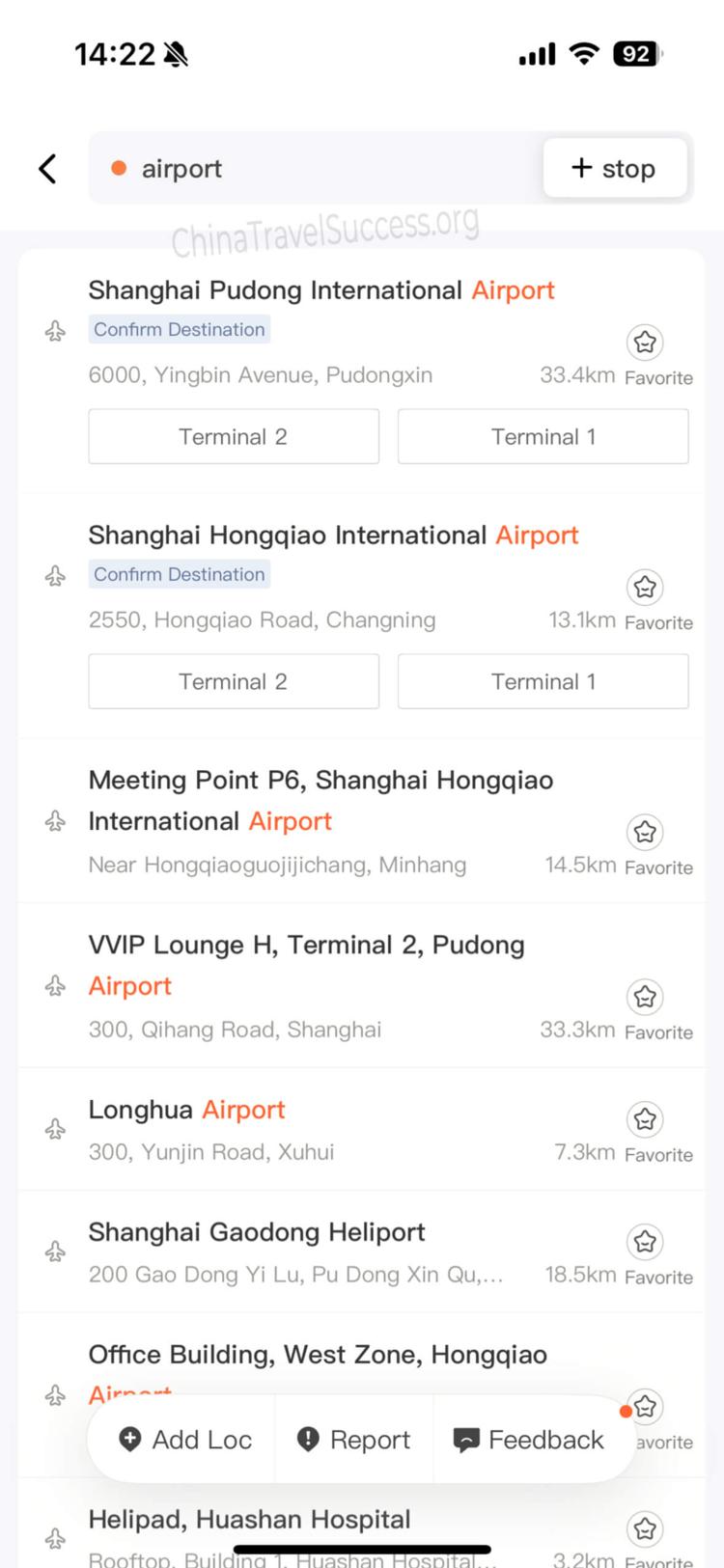
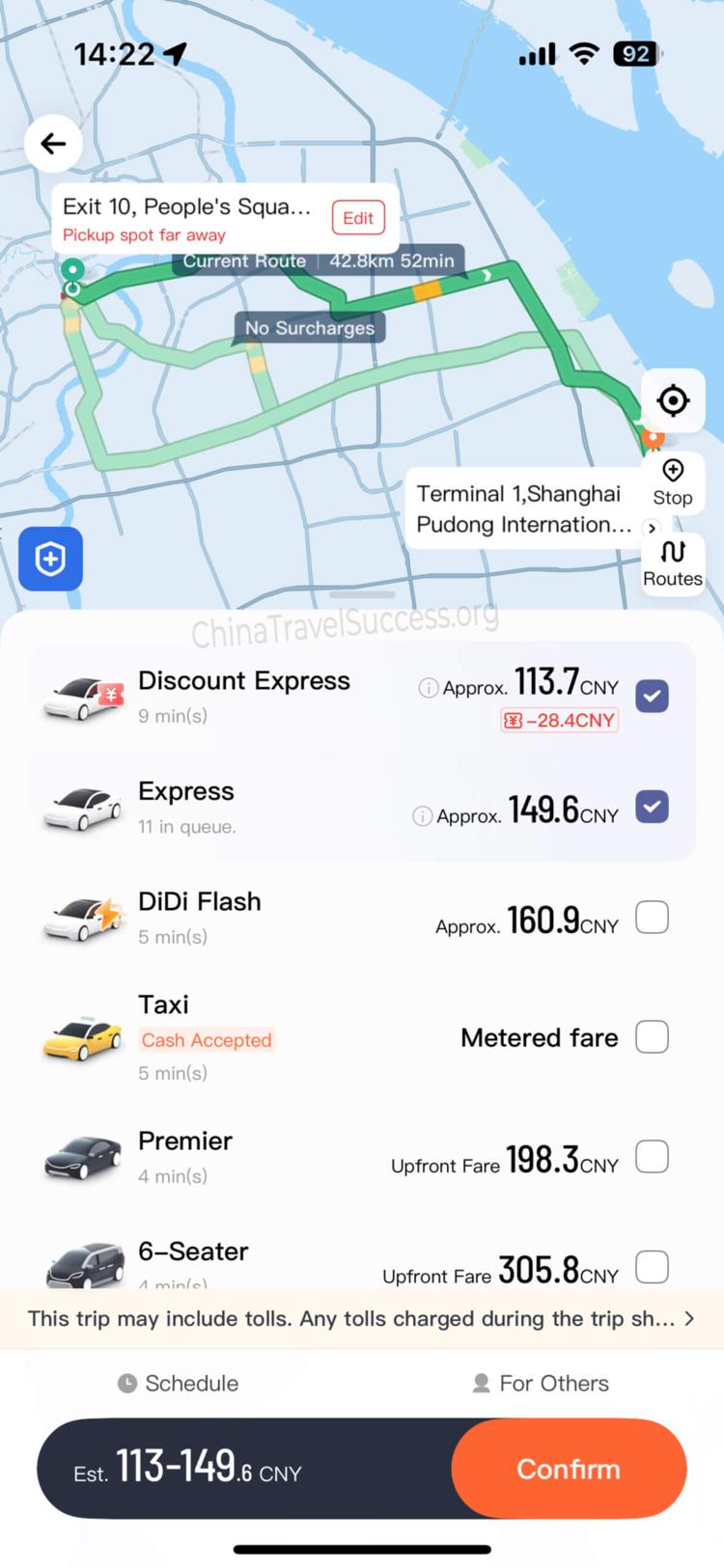
Book Your Ride: Address & Car Options
Enter your pickup and drop-off locations. You can type in English or Chinese (e.g. "airport", "hotel"). The app will suggest locations as you type.
Choose your ride type—Express (standard), Premier (premium), or other options based on your needs and budget.
After confirming your booking, you can track your driver in real time and contact them via in-app chat or phone call. If you've enabled Auto-Pay, payment will be processed automatically at the end of your ride.
🗺️ Amap (Gaode) Navigation Setup Guide
Amap (Gaode Map, 高德地图) is the most reliable navigation app in China. It offers English interface, real-time transit data, and ride-hailing integration—essential when Google Maps doesn't work.
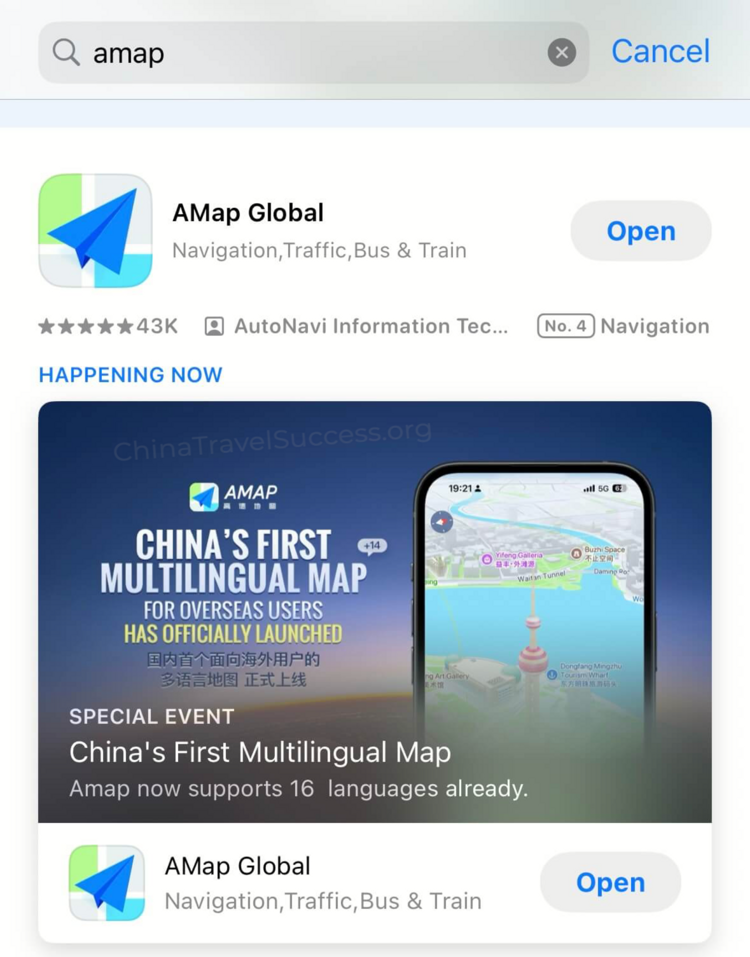
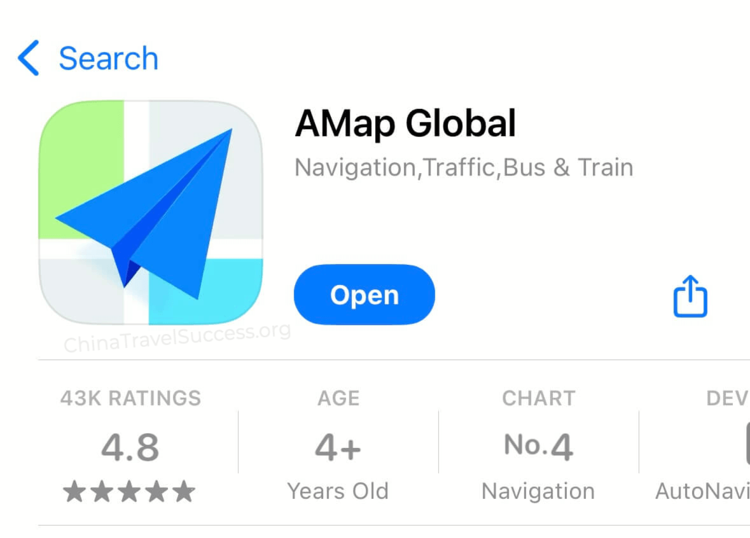
1. Download the Amap App
For iOS / Android, search for "Amap" or "Gaode Map" in your app store. The official app is published by AutoNavi.
Tip: If you can't find it, try searching for "高德地图" (Chinese name).
2. Initial Setup & Language Switch
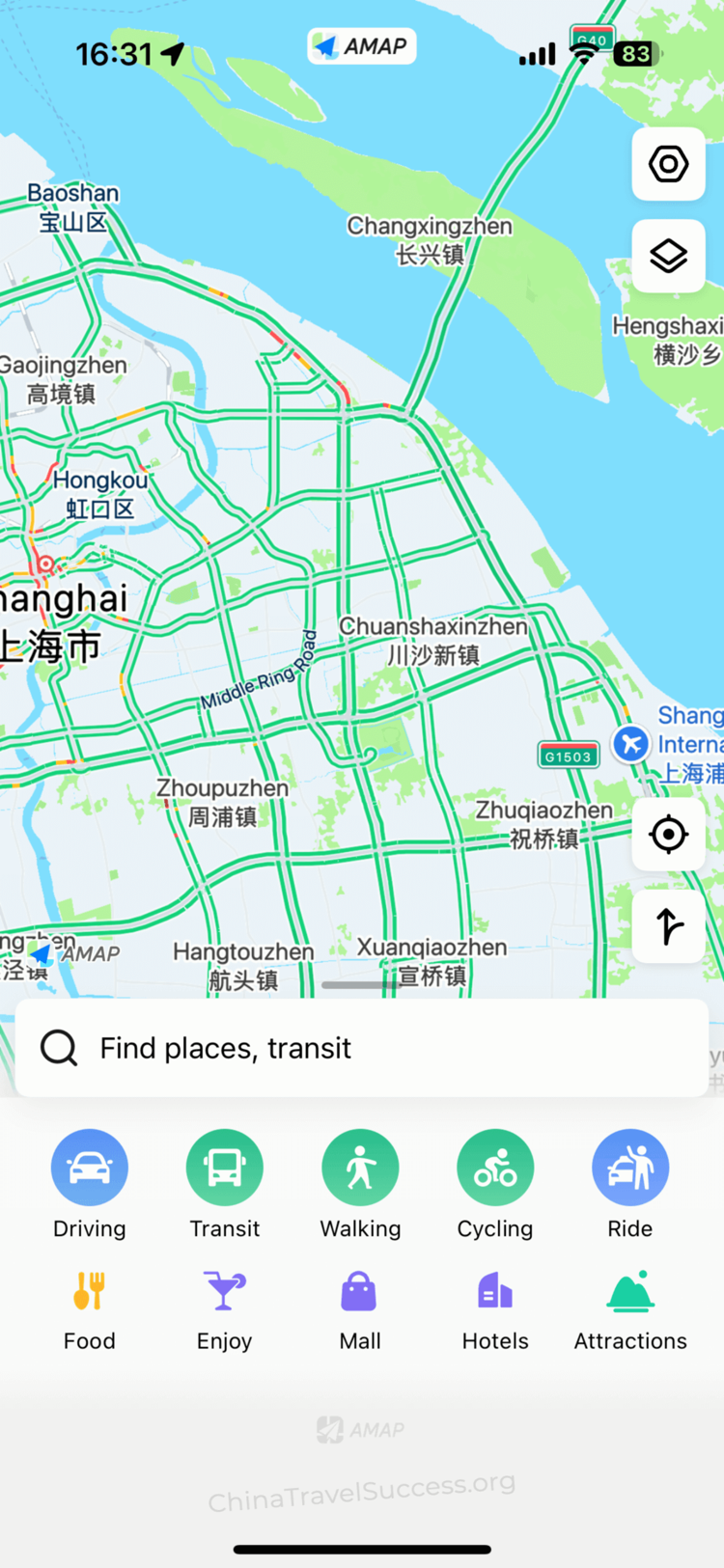
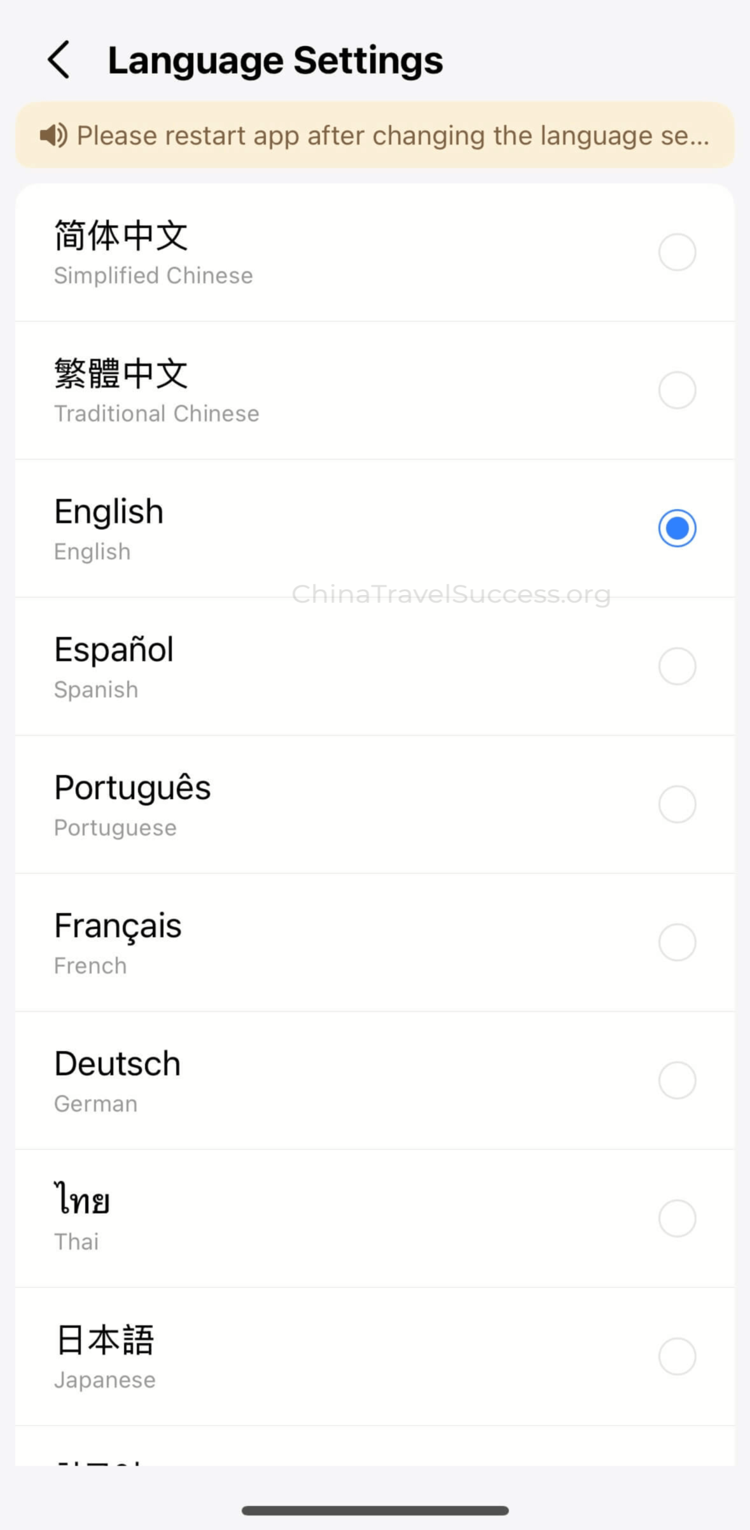
When you first open the app, the interface may be in Chinese. To switch:
- Tap "Me" (bottom right) → "Settings" (gear icon).
- Find "Language Settings" and select English.
- If English is not available, reinstall or update the app to the latest version.
3. Search for Destinations
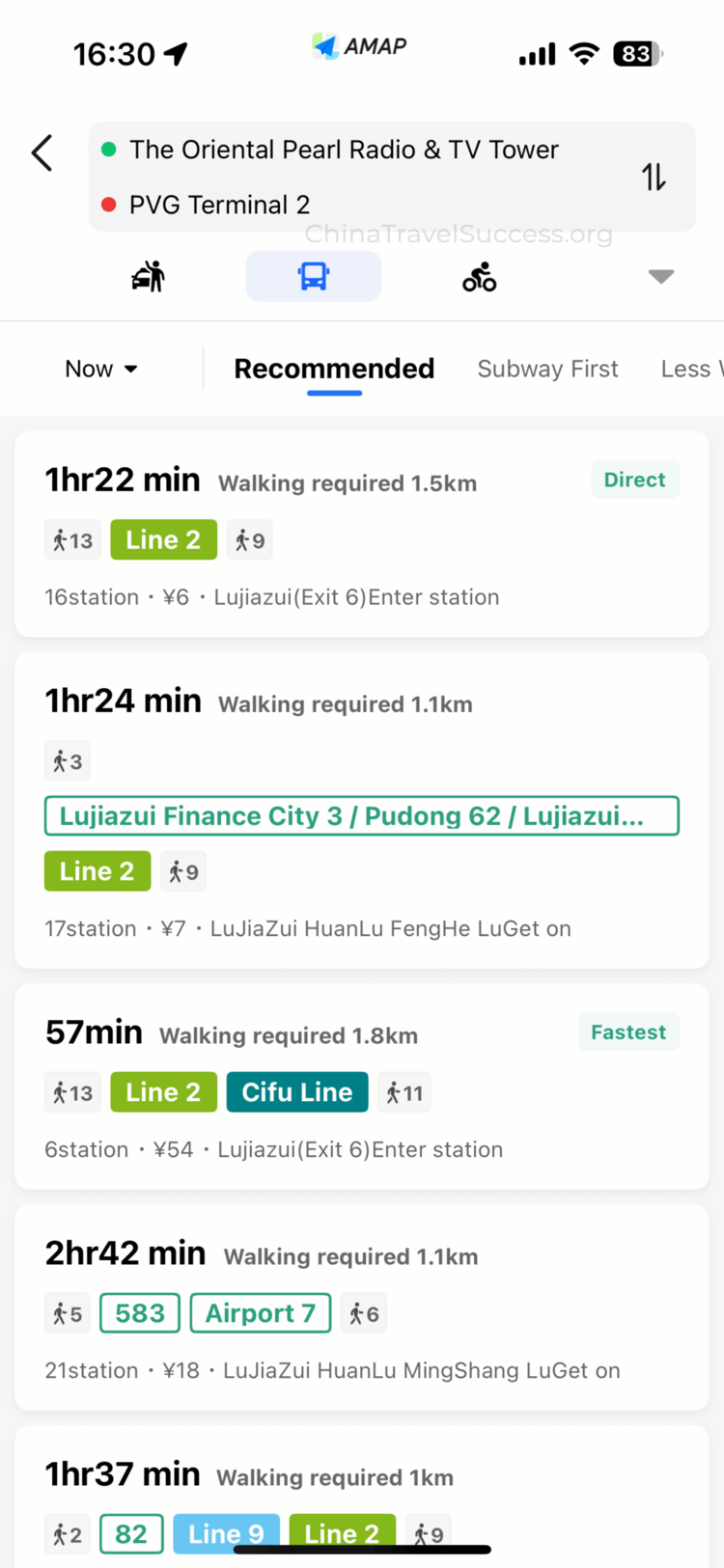
Enter your destination using English, Pinyin, or Chinese characters for best results. The app will suggest matches—tap the correct one to proceed.
Tip: For famous places, try both English and Chinese names if your first search doesn't work.
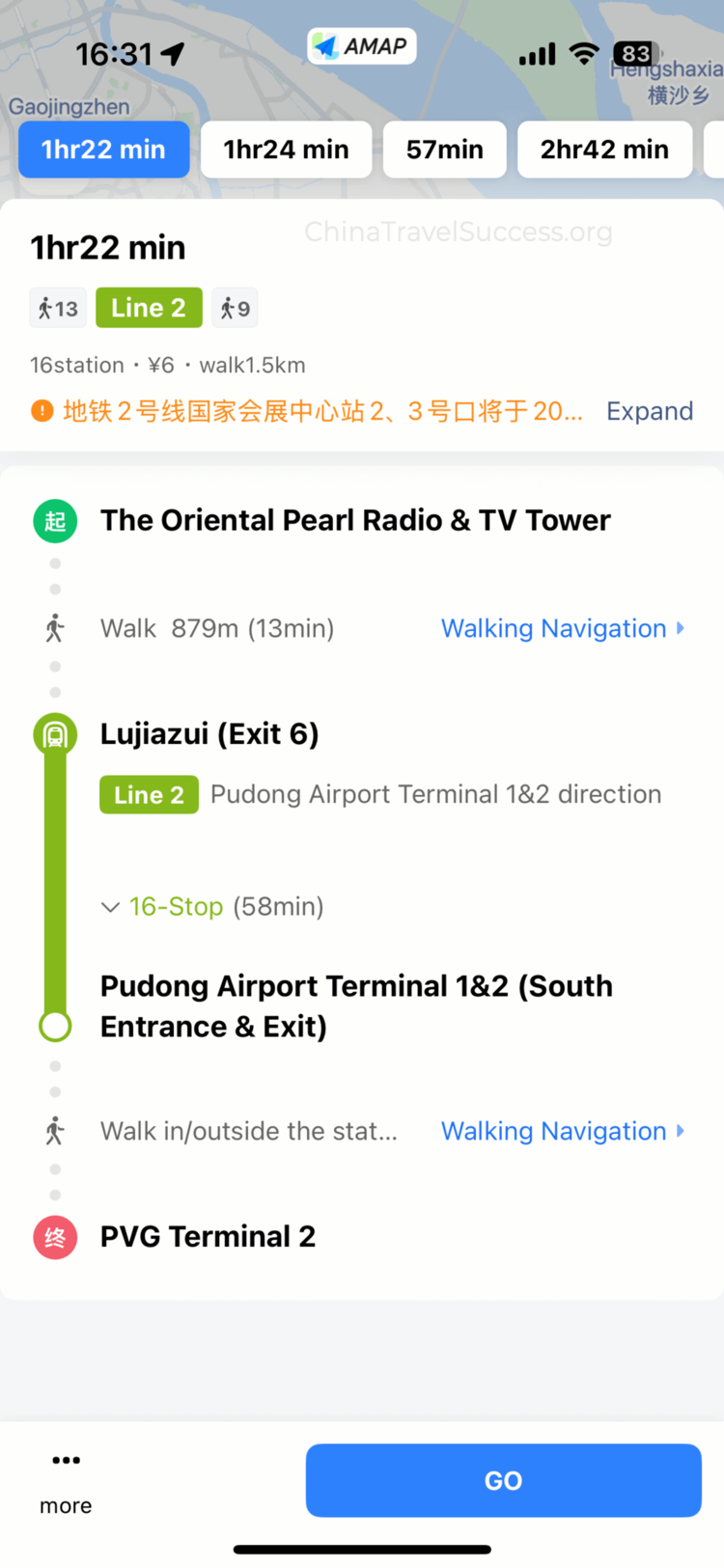
Pro Tip: Save your hotel, airport, and key destinations as Favorites in Amap.
If you get lost, you can simply show the destination screen to a taxi driver or local person—they'll immediately understand where you're trying to go.
Ready to explore the rest of China?
With transport, payments, and internet sorted, you can focus on enjoying the journey. Continue with the rest of the China Travel Success guides.
Back to Home