
Master Payments in China: Go Cashless
Don't let payment hurdles ruin your trip. Learn how to set up Alipay & WeChat Pay with your international card in minutes.
Why Mobile Payments Matter
China is a predominantly cashless society. Mobile payments are essential for everything from street food to subway tickets. Understanding the payment landscape is crucial for a smooth travel experience.
Mobile Payment Apps
Two apps dominate China's mobile payment market. Understanding their differences helps you choose the right one.

Alipay
Market Share
- International version available
- Best for online shopping
- Larger merchants preferred
- Easier setup for tourists

WeChat Pay
Market Share
- Social payments integrated
- Small merchants preferred
- Requires Chinese bank OR international card
- Built into WeChat social app
💡 Pro Tip
Both apps dominate over 95% of China's mobile payment market. Having both installed gives you maximum payment flexibility across all merchants and situations.
Alipay Setup Guide
Follow these steps to set up Alipay before your trip to China.
Download & Register
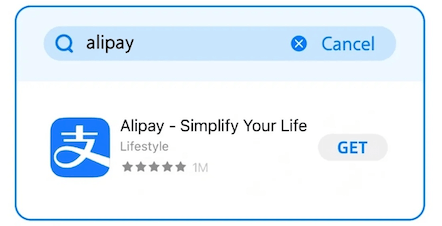
- Download the international version of the Alipay app (for example, "Alipay – Simplify Your Life").
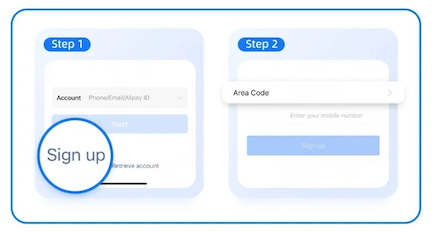
- Tap Sign up, select the international version, and register using your mobile phone number.
Add a Bank Card
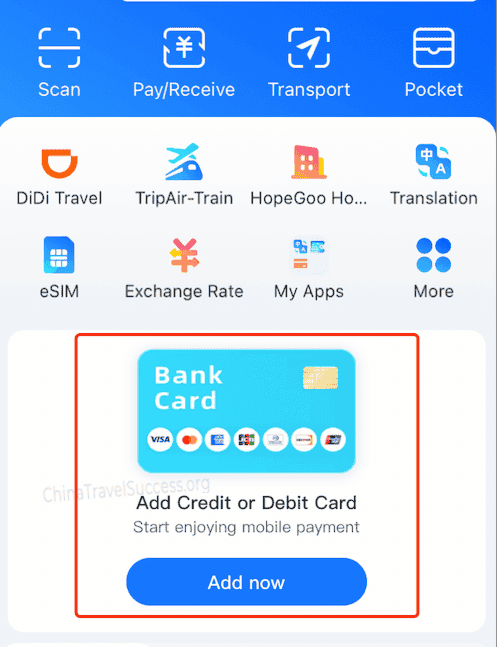
- On the homepage, tap "Add now" to start adding a bank card.
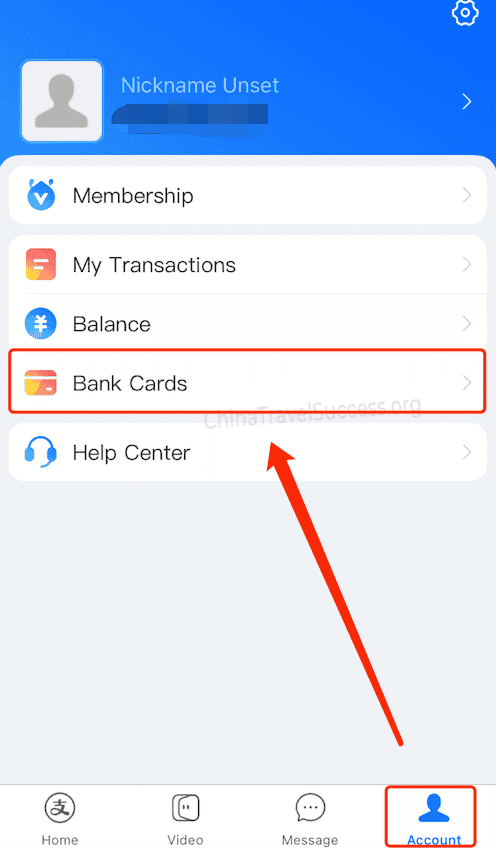
- Or go to Account → Bank Cards to manage cards and choose Add card.
- Follow the on-screen steps to link your international credit/debit card.
Create Payment Password
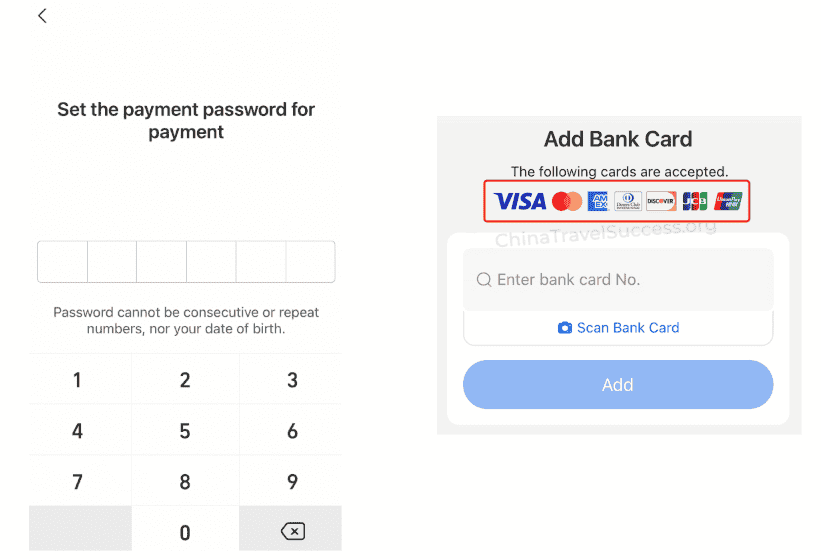
Create a 6-digit payment password. It cannot be consecutive / repeating numbers or your birth date for security.
⚠️ Supported International Cards
Make sure your international credit/debit card is compatible with Alipay before traveling. The supported cards are shown below:
How to Pay with Alipay
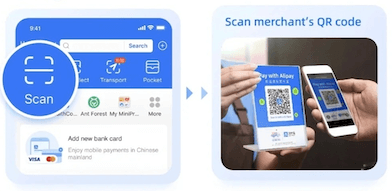
🔍 Option 1: Scan to Pay
Tap "Scan", then scan the merchant's QR code displayed at their counter or payment terminal.
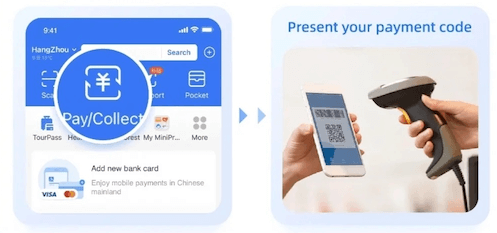
📱 Option 2: Present QR Code
Tap "Pay/Collect" to show your personal QR code. The merchant scans your code to complete the payment.
📡 Option 3: Alipay Tap (NFC)
For NFC-enabled devices, hold your phone's top near the blue circle on the payment terminal until you hear a confirmation beep.

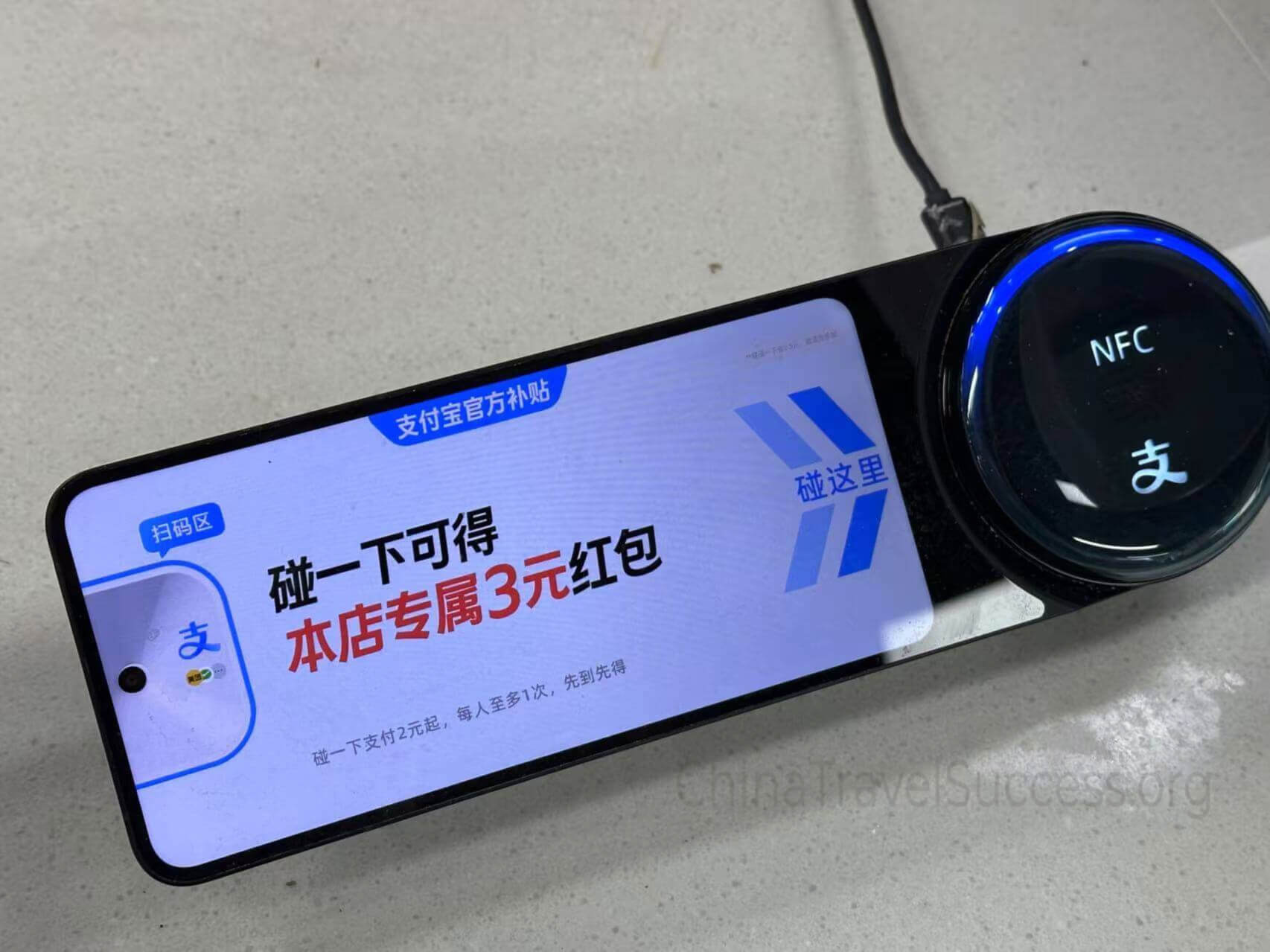
- Android users: Payment completes directly
- iPhone users: Click "Open" to complete payment
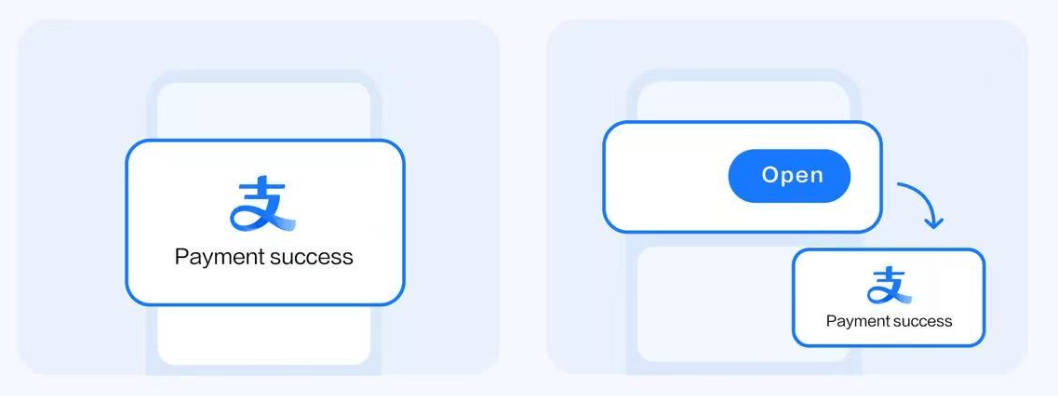
Simple Alipay Guide for International Tourists
WeChat Pay Setup Guide
Set up WeChat Pay within the WeChat social app for seamless mobile payments.
Download or Update WeChat
- Download or update your WeChat app to the latest version.
- Register with your phone number or sign in to your existing account.

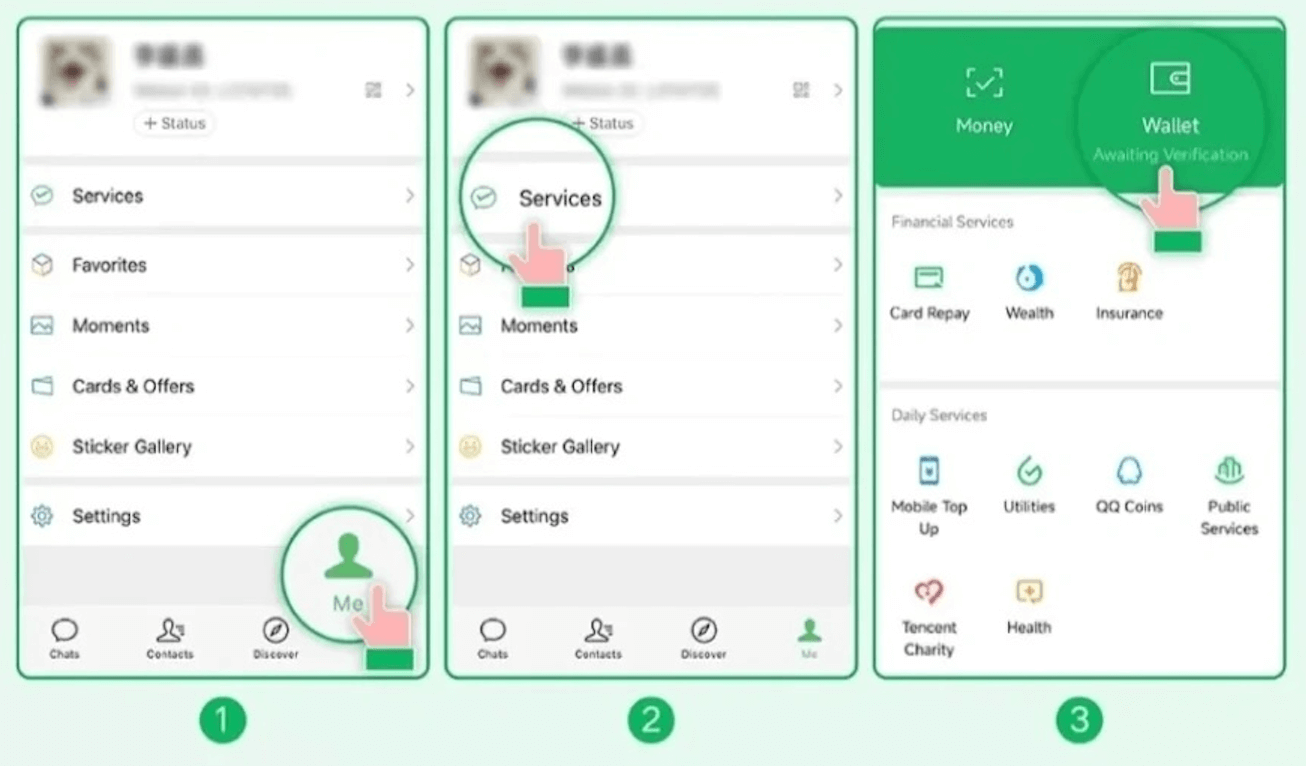
Find WeChat Pay
- Tap Me → Services → Wallet.
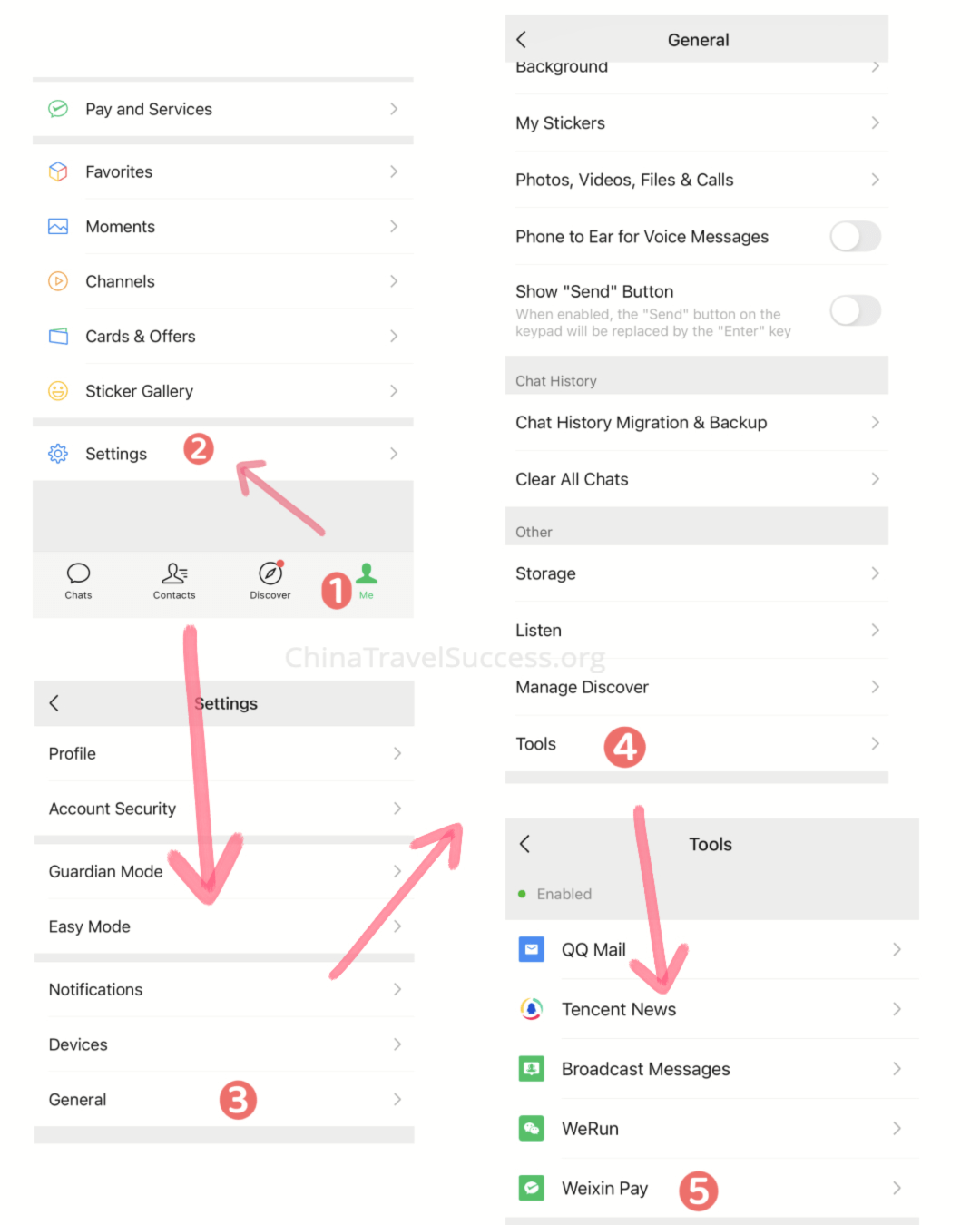
Alternative method:
If you cannot find the options above, go to Me → Settings → General → Tools → WeChat Pay. Tap Enable.
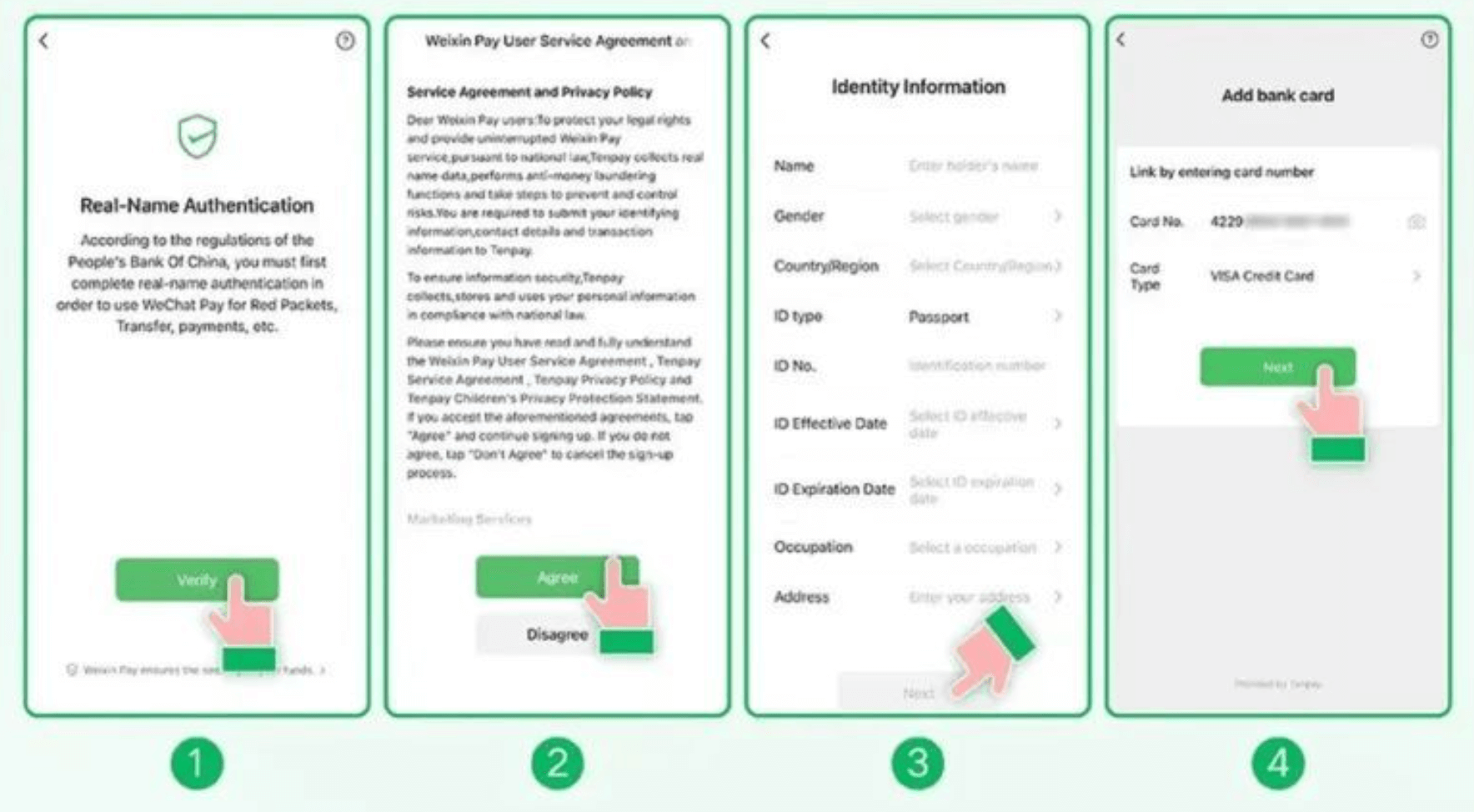
Add Identity Information and Card
- In Wallet, tap Add a Card.
- Read and agree to the WeChat Pay User Service Agreement and Privacy Policy.
- Fill in your identity information following the on-screen steps.
- Tap Next to add your card.
- Complete the process according to the on-screen instructions.
💡 Identity Verification Tip
If you use your passport to verify your identity, you will get a notification asking you to upload a copy of your passport.
How to Pay with WeChat
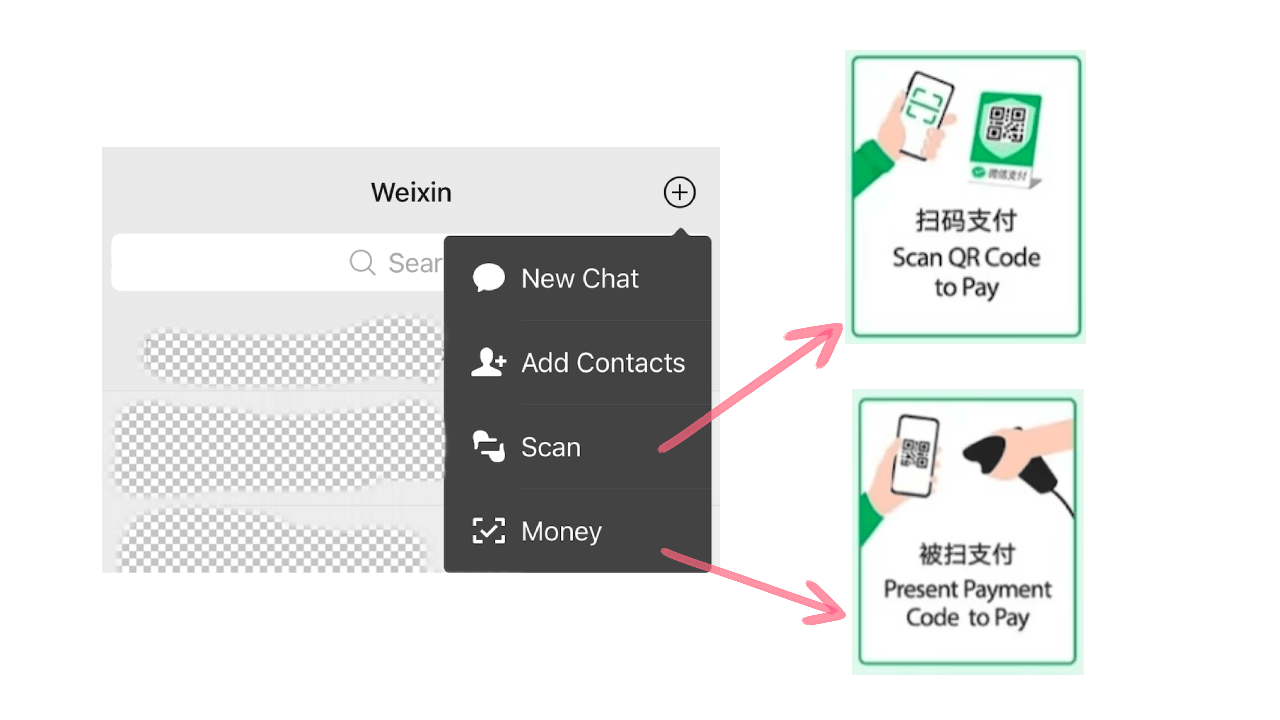
Open the menu at the top right of WeChat by clicking the "+" icon. Then choose Scan (to scan the merchant's QR code) or Money (to show your payment code for the merchant to scan).
Transaction Fees & Limits
Understanding fees and limits helps you plan your transactions effectively.
| Transaction Amount | Service Fee | Annual Limit | Notes |
|---|---|---|---|
| Under 200 RMB | Free | Part of $50,000 | Most attraction tickets |
| Over 200 RMB | ~3% | Part of $50,000 | Major purchases |
| Single Transaction | Varies | $5,000 USD | Raised in 2025 |
Alternative Payment Methods
While mobile payments dominate, traditional methods still have their place.
Cash (现金)
- Still accepted everywhere
- Essential backup method
- Useful for small vendors
- ATMs widely available
Credit Cards
- UnionPay most widely accepted
- Visa/MasterCard in major cities
- Hotels and upscale restaurants
- Limited acceptance overall
Payment Success Tips
Follow these tips to ensure smooth mobile payment experience in China.
Keep Your Phone Charged
Mobile payments require battery power. Carry a power bank for extended outings.
Ensure Network Connection
Both apps need internet connection. Consider getting a Chinese SIM card or reliable VPN.
Have Backup Payment Methods
Always carry some cash and a UnionPay card as backup options.
Secure Your Payment Password
Use a unique 6-digit password that is not your birthday or consecutive numbers.
Ready to Explore China?
With mobile payments set up, you're ready to experience China's cashless society. Check out our other guides for a complete travel preparation.